How to Create a no-prompt bootable WinPE ISO – Crowdstrike Fix

With the massive Crowdstrike outage this week, we looked for a way to automate fixing virtual machines in our environment. Since our VMs were not BitLocker encrypted, this enabled us to use WinPE exported as an ISO to enable a zero-touch fix. Here’s how we did it: Pre-Reqs Download and Install ADK You’ll need to […]
A Beginners Guide to Azure AD Join – Everything you Need to Know

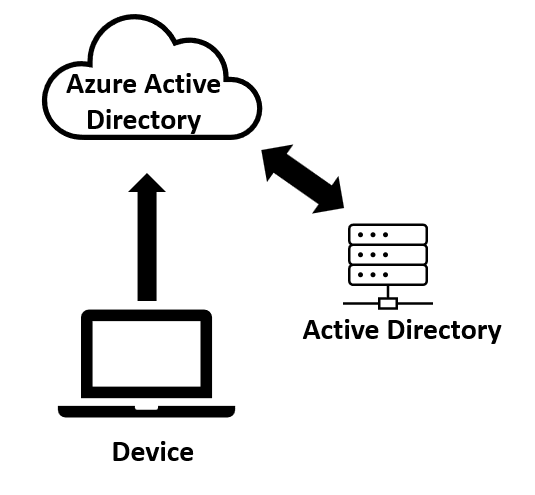
Welcome to the beginner’s guide to Azure AD join! As businesses increasingly rely on cloud-based solutions, Azure Active Directory has become an essential tool for managing user access to Microsoft cloud services. Joining a Windows device to Azure AD allows devices to be registered with Azure AD and to be managed as Azure AD objects, […]

Understanding Windows Feature Updates in Microsoft Intune

Deploying Windows 10/11 feature updates with Microsoft Intune is much simpler than traditional methods. You no longer have to “push” out the full patch or ISO content via ConfigMgr or WSUS or worry about content distribution. But ever wondered how it actually works though? While it may seem like a simple thing on the surface, […]

Intune vs. Workspace ONE: 15 Pros and Cons (2022 Edition)

Microsoft Intune and VMware Workspace ONE are both industry-leading Unified Endpoint Management (UEM) solutions. If you look at any Gartner Magic Quadrant chart from the last few years and you’ll see both Microsoft and VMware competing for the top spot. But which one is actually better for your organization? UEM is all about managing multiple […]

How to Fix Hybrid Azure AD Join Error 0x801c005b: error_computer_signature_check_failure

Seeing error 0x801c005b alongside error_computer_signature_check_failure when attempting to Hybrid Azure AD join your Windows devices? This error will prevent the hybrid join process from completing. Running dsregcmd /status or dsregcmd /debug will reveal this error. Thankfully this error is a pretty simple one to fix. Why does this happen? This error usually doesn’t happen very […]

How to Deploy Custom ADMX Settings with Intune

Starting in the 2208 release of Intune, Microsoft has added the ability to import custom ADMX files to the console and deploy to clients. This enables you to configure settings for third party apps such as Google Chrome, Mozilla Firefox, and Zoom. In this blog, we’ll walk through uploading custom admx/adml files, configuring them in […]

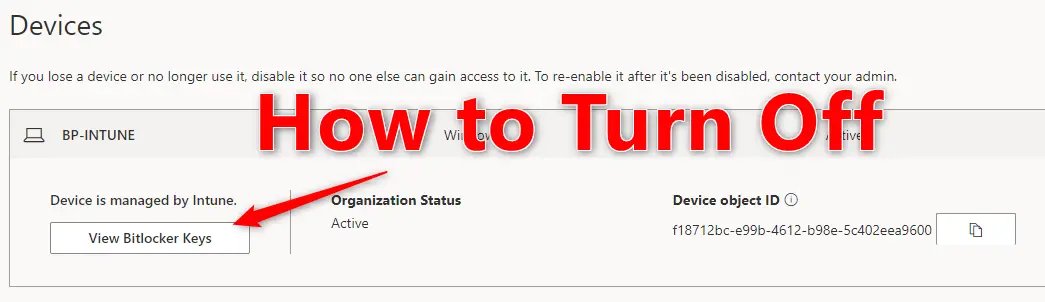
Disable BitLocker Recovery Key Self-Service in Intune

Has your organization raised concerns about end users having the ability to retrieve their own BitLocker keys? In theory, this is a great way to reduce help desk calls and improve user experience, but it does raise the question of whether this is a security risk or not. Until now, Microsoft hasn’t had a way […]

How to Migrate from McAfee MNE to Intune for BitLocker Management

Looking to migrate from McAfee management of BitLocker to Intune? In this blog, I’ll walk through exactly what you need to do to successfully migrate from McAfee MNE to Intune MEM for BitLocker management. Pre-Reqs In my setup, I’m working in the following conditions although other variants of this should work fine: McAfee ePolicy Orchestrator […]

3 Things You Should Know Before Deploying BitLocker with Intune

In my previous blog, I walked through the basics of getting started deploying BitLocker with Intune. Now, I want to share a few more lessons learned after going down this path myself. So before you embark on deploying BitLocker with Intune (MEM), here are three things you should know. Automatic Encryption Requires a Logged-in User […]

A Beginner’s Guide to Managing BitLocker with Intune

Looking to deploy BitLocker with Intune but don’t know where to start? This is one of the most common places people start when first getting into Intune. In this beginner’s guide, you’re going to learn everything you need to know about using Intune to manage BitLocker including recommended settings, how the BitLocker CSP works on […]