How to Keep your Workspace ONE UEM Environment Clean

Update – Sept 2021. – Added a new switch “-mode” [Online | Offline]. Specifies whether you want to pull data live from the server or use existing CSV files.– Fixed bugs and added more error handling Intro Keeping a clean and healthy environment is important when managing a large number of devices in Workspace ONE […]
Windows 10 reset and wipe options explained

More and more Workspace ONE UEM features that are obvious to use on IOS and Android are coming to Windows 10 devices. One of these features is the ability to remotely send a Wipe or Reset command to a device. This might seem like a trivial and easy feature, and is, however there are at […]

How to Configure Windows Hello PIN in Workspace ONE

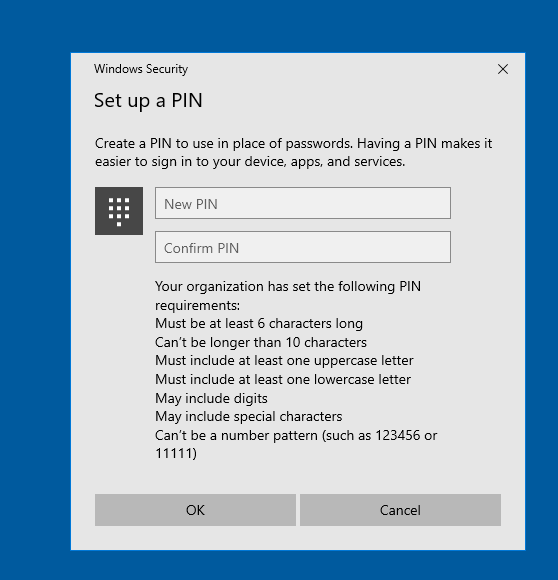
There are many nodes in the Passport For Work CSP which configure and control Windows Hello for Business, however only a subset are available in the UI in Workspace ONE UEM. Here is how you can build a custom profile in order to access every node: Login to VMware Policy Builder Click on the appropriate […]

New YouTube Series – The Ascent

I am super proud to announce a YouTube Series that Adarsh and I launched this week on the VMware End User Computing channel. It is called “The Ascent. Future-Ready Now with Workspace ONE.” It is all about actually using and deploying Workspace ONE in the real world. We’re not trying to make this super polished […]

How to Deploy Windows 10 Feature Updates with Complete Control

Read the blog below or check out my YouTube video on this process! Introduction Update: The bug with deploying “20H2” suing the CSP has been fixed by MS and will work after applying the May 2021 cumulative update. If you’ve been using Windows Update for Business for any period of time, upgrading Windows 10 with […]

Tunnel 2.0 for Windows and DFS-Namespaces

Hello, it’s Pim here again, It’s been a couple of months since I created this blogpost on the VMware Tunnel: https://brookspeppin.com/2020/01/23/how-to-setup-the-new-workspace-one-tunnel-windows-desktop-application/ This blogpost was well received and started some good discussions. Since that blogpost the VMware Digital Workspace Tech Zone site has also published a detailed guide on how to deploy the VMware Tunnel on […]

Imaging from the Cloud – How to setup Powershell Deployment Extension (PSD) for MDT with HTTPS

Johan, Mikael, Jordan and several others have built an awesome open source extension for MDT that enables imaging over the internet via HTTP/HTTPS. Even if you adopt modern management and modern deployment technologies like Autopilot, there are still times where you need a good bare metal process. This solution gives you a modern way to […]

How to PowerShell App Deploy Toolkit (PSADT) with Workspace ONE

Intro In the 2004 release, Workspace ONE UEM has added full app install deferral support for PSADT and other apps that leverage specific exit codes to indicate install “deferral”. My other post outlined a way to sort-of make it work with what was available at the time, but now that is no longer needed. This […]

Workspace ONE Sensors Best Practices

Workspace ONE Sensors enable you to collect any custom piece of information from a Windows 10 client that Workspace ONE UEM doesn’t natively collect. This feature was added in version 1905 of WS1 and enhanced in 1910 with 64bit Powershell support. This feature can be used for all kinds of things, but after working with […]

3 Ways to Deploy Office 365 ProPlus with VMware Workspace ONE

Updated 4/15/20VMware Workspace ONE supports many ways of deploying Office 365 on Windows 10, but it can often be confusing on which one is best. I’ve tried to summarize the Pros and Cons in a table. Method Pros Cons Office CSP – You don’t have to bother with downloading content or passing the configuration.xml to […]